
- To: "VisAd Mailing List" <visad@xxxxxxxxxxxxxxxx>
- Subject: Problem with Display.ZAxis Using Different Colors for same Z
- From: "Kenneth Evans, Jr." <evans@xxxxxxxxxxx>
- Date: Mon, 26 Jun 2006 15:22:43 -0500
Hi,

    I am having trouble with the colors on a 3D plot using Display.ZAxis.
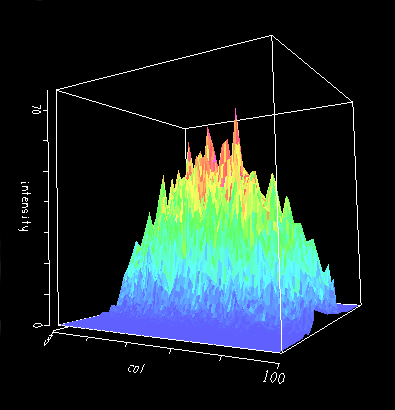
Points with the same height do not have the same colors; that is, the color
does not represent the height well.  To illustrate, I am attaching two
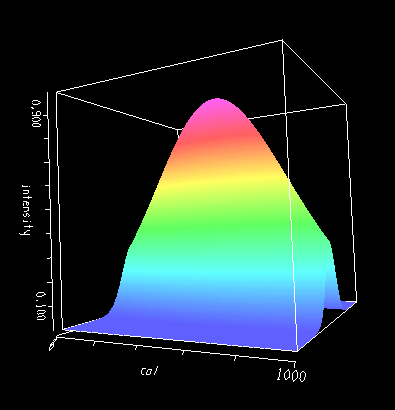
images (hope this works).  The first is for a 2D Gaussian from
Math.Random.nextGaussian() with dimensions 100 x 100.  The second is for a
calculated Gaussian with dimensions 1000 x 1000.  The large number of points
is to get the colors to represent height.

    The mapping is: ((col, row) -> intensity)

    The maps are:

      ScalarMap vals1Map = new ScalarMap(intensityType, Display.ZAxis);
      display.addMap(vals1Map);
      ScalarMap vals2Map = new ScalarMap(intensityType, Display.RGB);
      display.addMap(vals2Map);

    This is a test example.  The effect is even worse with the typically
very spiked X-ray diffraction data I am plotting.  Am I doing something
wrong and / or is there a way to get around it.  I assume it has to do with
interpolation in making the 3D rendering.  The ColorMap in the images is my
own, but I get the same results with the default.

     Thanks,

        -Ken
Attachment:
RandomGaussian.gif
Description: GIF image
Attachment:
SmoothGaussian.gif
Description: GIF image
- Follow-Ups:
- Re: Problem with Display.ZAxis Using Different Colors for same Z
- From: Bill Hibbard
- Re: Problem with Display.ZAxis Using Different Colors for same Z